San Antonio · Texas
Why Does My WiFi Signal Drop in Certain Rooms Even With a New Router?
★★★★★ 5-Star Rated · Trusted in Bexar County
BBB Torch Award 2020
Licensed & Insured
In-House Team
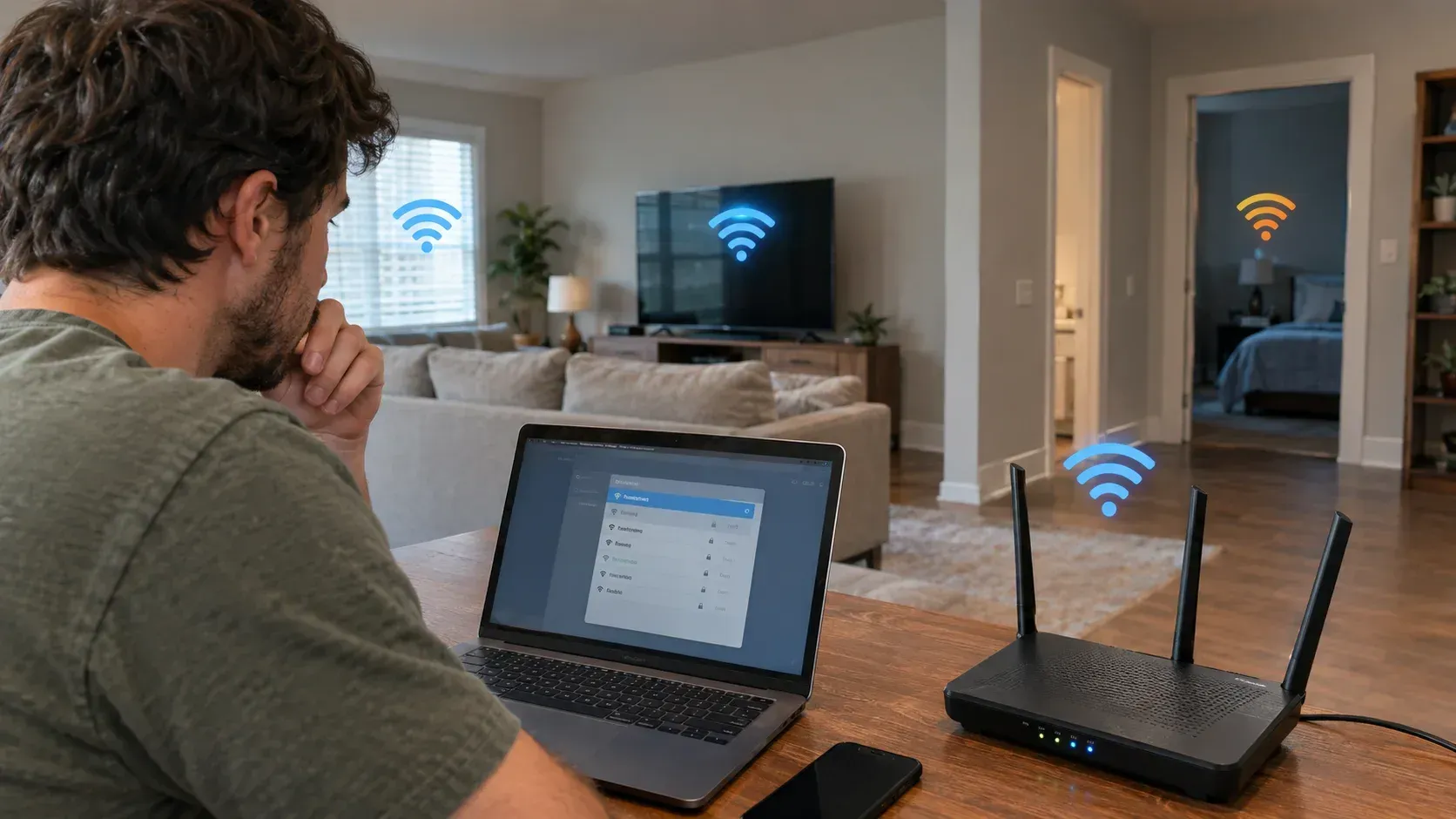
Table of Contents
- Introduction
- The short answer
- One router means one coverage footprint
- The fast bands are the ones walls stop
- Texas building materials that block WiFi
- Where your router is sitting probably matters more than which router it is
- Interference from your neighbours and your own devices
- Why your speed test looks fine and your bedroom does not
- Extender, mesh, or wired access points
- How we diagnose coverage
- Frequently Asked Questions
- Get a Free WiFi Coverage Assessment in San Antonio
Key Takeaways
- A new router cannot fix a dead zone, because dead zones are caused by distance, building materials, and interference rather than by router age.
- One router broadcasting from one location produces one coverage footprint. If a room falls outside it, a faster router in the same spot produces a faster signal that still does not reach.
- The 5 GHz and 6 GHz bands are faster but pass through walls worse than 2.4 GHz. That tradeoff explains most "connected but unusable" complaints.
- Stucco over metal lath, brick, tile, concrete, and foil-backed radiant barrier are all common in Texas homes and all significantly attenuate WiFi.
- Wired access points beat mesh, and mesh beats an extender, because an extender spends its airtime relaying rather than serving.
Introduction
A new router cannot fix WiFi that drops in certain rooms, because dead zones are not caused by router age. They are caused by distance, by what your walls are made of, and by interference. A newer router transmits a better signal from the same single location, and if a back bedroom was already outside that location's usable range, a faster radio does not change the geometry. That is why whole-home coverage is a design problem rather than a hardware upgrade, and it is the starting point for everyinternet and WiFi installation we do.
The good news is that the causes are physical and therefore diagnosable. You can usually predict where a home will have dead spots by walking it and looking at what is between the router and the room.
Here is what is actually happening, and what genuinely fixes it.
The Short Answer
If WiFi drops in specific rooms:
- Distance. Signal strength falls off sharply with range, faster than most people expect
- Building materials. Every wall, floor, and surface between the router and the device costs signal, and some cost enormously more than others
- Band selection. The faster bands penetrate materials worse, so devices on 5 GHz or 6 GHz lose range
- Router placement. A router in a closet, cabinet, garage, or on the floor is handicapped before it starts
- Interference. Neighbouring networks and household devices compete for the same airwaves
- Client devices. Older phones, tablets, and IoT devices connect at lower rates and can hold onto a weak signal rather than switching
Notice what is not on that list: router age. It matters for throughput and for handling many devices, but not for reaching through a stucco wall.
One Router Means One Coverage Footprint
This is the concept that resolves most confusion, so it is worth being blunt about it.
A wireless router is a radio in one physical spot. Its coverage is roughly a sphere squashed by whatever it has to pass through, and that sphere has an edge. Inside the edge you get usable service. Near the edge you get a connection that shows bars but stalls. Outside it you get nothing.
Upgrading the router changes the quality of the signal inside that footprint. It does not meaningfully move the edge.
So the two ways to actually cover a room that currently has no service are:
- Move the source closer to it
- Add another source near it
Everything else, including buying a more expensive router, is optimising within a footprint that already excludes the room you care about.
The Fast Bands Are the Ones Walls Stop
Modern routers broadcast on more than one frequency band, and they behave very differently.
- 2.4 GHz travels furthest and passes through walls best, but it is slower and far more congested
- 5 GHz is considerably faster with more usable channels, but loses more signal to every obstacle
- 6 GHz, on newer equipment, is faster still and has the shortest effective range through materials
This produces a specific and very common symptom. Your phone sits in the back bedroom showing a connection, because it has latched onto a weak 5 GHz signal or a distant 2.4 GHz one, and nothing loads. The device reports "connected" because it is. The link simply does not have enough margin to move data reliably.
It also explains why a family member's older laptop sometimes works better in the same room than a newer phone. The older device may be using 2.4 GHz, which reaches, while the newer one keeps choosing the faster band that does not.
Texas Building Materials That Block WiFi
Construction here is genuinely harder on wireless than lightweight construction elsewhere, and this is where local knowledge earns its keep.
The serious blockers we run into:
- Stucco over metal lath. The wire mesh behind stucco acts close to a screen, and it is one of the most effective WiFi blockers in residential construction
- Brick and stone veneer, common on exteriors and on interior fireplace walls
- Concrete and concrete block, including slab between floors in some builds
- Tile, especially over cement board, which is why bathrooms and kitchens create shadows
- Foil-backed radiant barrier and foil-faced insulation in attics, which is widespread in Texas for heat reasons and reflects wireless signal as effectively as it reflects radiant heat
- Metal studs, ductwork, and large appliances
- Mirrors and large glass, particularly coated or low-emissivity glass
- Water, meaning water heaters, softener tanks, aquariums, and full plumbing runs
Two implications worth planning around. A single-story home with a radiant barrier attic often cannot be covered by pushing signal up and over; the signal has to travel through the house. And a room on the far side of a tiled bathroom or a masonry fireplace is frequently the worst spot in the house, regardless of distance.
Where Your Router Is Sitting Probably Matters More Than Which Router It Is
The most common fixable cause we find costs nothing to address.
Placement that hurts coverage:
- Inside a cabinet, closet, or media console
- On the floor, since signal spreads outward rather than upward
- In the garage or a utility room, which is often where the ISP terminated the line for convenience
- Against an exterior wall, which sends half the coverage outside
- Behind a television, or stacked in an AV rack with other electronics
- Next to the electrical panel, a water heater, or a softener tank
Placement that helps:
- Central to the floor plan rather than central to the wiring
- Elevated, ideally not at floor level
- Out in the open, with antennas unobstructed
- Away from large metal objects and water
The tension is that the router usually lives where the ISP's line enters, which is rarely the middle of the house. That mismatch is the single most common reason a perfectly good router underperforms, and resolving it often means running a cable so the equipment can live somewhere sensible.
Interference From Your Neighbours and Your Own Devices
WiFi is unlicensed spectrum, which means you share it whether you want to or not.
- Neighbouring networks. In a dense neighbourhood, many routers are broadcasting on overlapping channels. The 2.4 GHz band in particular has very few genuinely non-overlapping channels, so congestion is normal
- Microwaves, which operate in the same range as 2.4 GHz
- Baby monitors, older cordless phones, and some wireless cameras
- Bluetooth devices, in the same band
- Poorly shielded electronics and some LED lighting
The practical read: interference usually degrades speed and stability rather than eliminating coverage, so it explains "slow and flaky everywhere" better than it explains "nothing in that one room." When both symptoms appear together, congestion and coverage are usually both in play, and they need separating before you spend money.
Why Your Speed Test Looks Fine and Your Bedroom Does Not
This trips up a lot of people, and it is worth understanding before you call your internet provider.
The speed you pay for is delivered to your router. A speed test run next to the router, or on a wired connection, measures that. It tells you almost nothing about the last thirty feet.
- A wired test measures your internet service
- A wireless test next to the router measures your router's radio at best case
- A wireless test in the problem room measures the thing you actually care about
If wired speeds are strong and wireless in one room is poor, the internet service is not the problem and upgrading your plan will not help. That is a coverage issue, and it is fixed with placement or additional access points rather than more bandwidth. Running that comparison before calling anyone saves a lot of time.
Extender, Mesh, or Wired Access Points
There is a clear hierarchy here, and it comes down to how the extra coverage point talks back to the router.
A WiFi extender repeats the signal it receives. Because it listens and rebroadcasts on the same radio, it typically halves usable throughput, and it is only as good as the signal it receives, so placing it in the dead zone defeats the purpose. Some create a separate network name, which means devices cling to the wrong one.
A mesh system uses multiple units designed to work together, with better roaming so devices hand off more cleanly, and often a dedicated radio for unit-to-unit traffic. Considerably better than an extender, and the right answer for many homes.
Wired access points run ethernet to each coverage point, so the backhaul does not compete for airtime at all. Each access point gets full capacity, and the result is the most reliable option by a clear margin. It requires running cable, which is the tradeoff.
For a two-story home with masonry or stucco, we usually end up recommending wired access points where cable can be run, and mesh where it cannot. The equipment side of this is covered in ourproducts range, including router configuration.
How We Diagnose Coverage
A coverage assessment is a walk with measurements rather than a guess, and it usually takes less time than people expect.
What we do:
- Test wired throughput first, to establish what the service is actually delivering
- Walk the floor plan measuring signal strength and quality room by room, not just where the complaint is
- Note which band each device is connecting on and at what rate
- Check channel congestion from surrounding networks
- Map the dead zones against what is physically between them and the router
- Look at where cable can realistically be run, and where it cannot
- Count devices, since a home with many IoT devices has different needs than one with five
One thing we check that a general internet installer often will not: whether anything on the network has to be reliable rather than merely fast. Wireless cameras, video doorbells, and smart locks all sit on the same WiFi, and a dead zone at the side of the house is the reason a camera drops offline at the exact moment it matters. If you have or wantsecurity cameras and alarm equipment, the coverage design and the security design are really one job, and treating them separately is how people end up with a camera pointed at the right spot on a signal that cannot carry it.
Then we tell you what would actually fix it, in order of cost. Sometimes the answer is moving the router and changing a channel, which costs nothing. Sometimes it is two access points and a cable run. We would rather tell you the cheap answer when it is the right one.
Conclusion
WiFi that drops in specific rooms is a coverage problem, not a hardware-age problem. One router in one location covers a certain footprint, the fast bands lose range through walls, and Texas construction, particularly stucco over metal lath and foil radiant barrier, is unusually effective at stopping wireless signal.
Before spending anything, try two things: run a wired speed test to rule out your internet service, and move the router somewhere central, elevated, and out in the open. If dead zones survive both, the fix is additional coverage points rather than a faster router, and whether that means mesh or wired access points depends on your layout and where cable can go.
Get a Free WiFi Coverage Assessment in San Antonio
If certain rooms in your house never work properly, let us measure it rather than guess. We will walk the floor plan, test what your service is actually delivering, map the dead zones against your construction, and tell you the least expensive fix that will genuinely work. APEX Smart Home has served Texas homeowners since 2014, we are licensed and insured under #B04130001, and assessments are complimentary. Call (210) 301-0032 orget in touch and tell us which rooms are the problem and roughly where your router sits. Those two details predict most of what we will find. We cover San Antonio, Austin, New Braunfels, Schertz, Boerne, and the othercommunities we serve.
Frequently Asked Questions
Will a new router fix my WiFi dead zones?
Usually not. Dead zones come from distance, building materials, and interference rather than router age. A newer router improves speed inside its existing coverage footprint, but it does not extend that footprint into a room the old one could not reach.
Why does my phone show WiFi bars but nothing loads?
It has connected to a signal too weak to carry data reliably, often on the faster 5 GHz band which loses more range through walls. The device reports a connection because one exists; there simply is not enough margin to move data.
Is mesh WiFi better than an extender?
Generally yes. An extender listens and rebroadcasts on the same radio, which typically halves throughput and depends entirely on the signal it receives. Mesh systems handle roaming better and often use a dedicated link between units.
Why is my WiFi worse in one room than a room further away?
Because what is in between matters more than distance. Tile over cement board, a masonry fireplace, stucco with metal lath, or foil-backed insulation can block signal more than several interior drywall walls would.
Do I need to upgrade my internet plan to fix bad WiFi?
Not if wired speeds are good. Run a speed test on a wired connection and again in the problem room. If wired is strong and wireless is poor, it is a coverage issue, and more bandwidth will not reach the room any better.
Related Posts