San Antonio · Texas
What Security Camera Features Matter Most for Homes in San Antonio, Texas?
★★★★★ 5-Star Rated · Trusted in Bexar County
BBB Torch Award 2020
Licensed & Insured
In-House Team
Looking for Reliable Security Camera Installation in San Antonio?
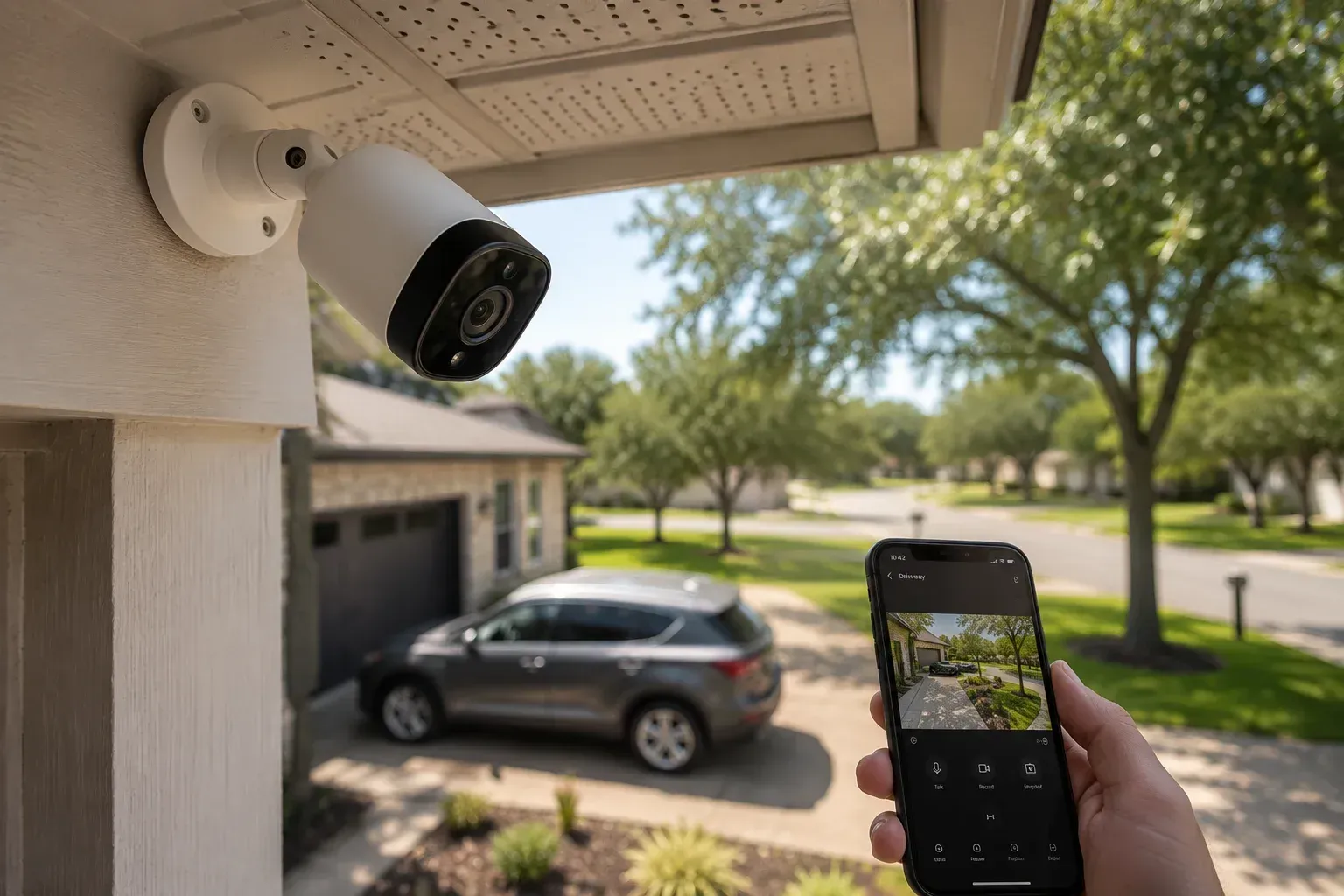
Table of Contents
- The Features That Matter Most, in Short
- Video Resolution: How Much Is Enough?
- Night Vision and Low-Light Performance
- Motion Detection and Smart Alerts
- Weather Resistance for South Texas Conditions
- Remote Viewing and Mobile Monitoring
- Video Storage: Local, Cloud, or Both
- Smart Home Integration
- Placement, Privacy, and Local Rules
- Limitations Worth Knowing Before You Buy
- Conclusion
- Find the Right Security Cameras for Your Home
- Frequently Asked Questions
Key Takeaways
- The features that matter most for San Antonio homes are 2K or higher resolution, reliable night vision, smart motion detection, weatherproof housing rated for Texas heat, and remote viewing from your phone.
- Resolution and night vision decide whether footage is actually usable. A camera that records a blurry shape at 2 a.m. has not done its job.
- Weather resistance matters more here than in milder climates. Outdoor cameras face 100-degree summers, sudden storms, and hail, so look for an IP65 or IP66 rating.
- Motion detection with person and vehicle filtering cuts down on false alerts from pets, trees, and passing cars, which is what keeps people actually checking their notifications.
- Features only help if cameras are placed well and kept working. Placement, storage, and upkeep deserve as much thought as the spec sheet.
Introduction
For homes in San Antonio, the security camera features that matter most are sharp resolution (2K or higher), dependable night vision, smart motion detection, weatherproof construction rated for extreme heat, and mobile access so you can check your property from anywhere. Those five features determine whether a camera gives you usable footage and timely alerts or just a false sense of coverage.
Everything else on a spec sheet, from color night vision to built-in sirens, is secondary to those basics. This guide walks through each feature, explains what the numbers actually mean, and covers a few San Antonio-specific realities, like what July heat does to cheap plastic housings.
Home security cameras are one of the most common upgrades local homeowners make, whether as standalone devices or as part of larger security systems. Knowing which features carry real weight makes the difference between a system you trust and one you stop paying attention to after a month.
The Features That Matter Most, in Short
A residential camera earns its keep when it can do four things: capture a clear image day and night, tell you when something meaningful happens, survive the weather, and show you footage on your phone within seconds. Every feature below serves one of those four jobs. When comparing residential security camera systems, sort each spec into one of those buckets and it becomes much easier to separate the essentials from the padding.
Video Resolution: How Much Is Enough?
Resolution decides how much detail your footage holds. The practical question is simple: can you read a license plate or recognize a face from the recording?
1080p (Full HD) is the working minimum today and handles close-range areas like porches and doorways reasonably well.
2K (1440p) is the sweet spot for most homes. It adds enough detail to zoom into footage without the image falling apart, at a modest bump in price and storage use.
4K captures the most detail but produces large files, needs more storage, and demands more from your network. It makes sense for wide areas like driveways or large yards where digital zoom matters.
One caveat: resolution alone does not equal clarity. Lens quality, bitrate, and lighting all affect the final image. A well-made 2K camera often outperforms a cheap 4K one.
Night Vision and Low-Light Performance
Most residential break-ins attempted at night depend on darkness, so night performance is where a camera proves itself. There are three common approaches.
Infrared (IR) night vision records in black and white using IR LEDs. It is standard, dependable, and works in total darkness. Check the stated range; 30 to 60 feet covers most home applications.
Color night vision uses larger sensors to keep color in low light. Color detail, like the shade of a vehicle, can matter when reviewing an incident. It usually needs at least some ambient light.
Spotlight cameras flood the area with visible light when motion triggers, recording in full color. The light itself can discourage activity, though neighbors may not love a floodlight pointed toward their windows.
Motion Detection and Smart Alerts
Motion detection is what turns a camera from a passive recorder into an active alert system. The difference between basic and smart detection is the difference between useful and ignored.
Basic pixel-based detection triggers on any change in the frame: a cat, a tree branch, headlights sweeping the wall. In a windy live oak-heavy neighborhood, that means constant false alerts, and most people mute them within weeks.
Smart detection uses on-camera or cloud AI to classify what it sees, filtering for people, vehicles, animals, or packages. Pairing that with activity zones, where you outline the exact areas to monitor, cuts the noise dramatically. A camera you still pay attention to in month six is doing more for you than a sharper one you have muted.
Weather Resistance for South Texas Conditions
This feature gets overlooked in national buying guides, and it should not be here. San Antonio summers regularly push past 100 degrees, and afternoon sun can heat a dark camera housing well beyond that. Add sudden thunderstorms, occasional hail, and dust, and outdoor cameras take real abuse.
Look for two things. First, an IP rating of IP65 or IP66, which indicates the housing seals out dust and driven rain. Second, a stated operating temperature range that comfortably covers local extremes, ideally up to at least 122°F (50°C).
Placement helps too. Mounting under eaves shields cameras from direct sun and rain, extends their working life, and reduces lens glare. Cheap indoor cameras repurposed for outdoor use in this climate tend to fail early, usually in August.
Remote Viewing and Mobile Monitoring
Remote access is now standard, but the quality of that access varies. A good mobile app loads a live view in a few seconds, sends push alerts with a preview image, and lets you scrub through recorded clips quickly.
Two practical things to check. First, whether core features sit behind a monthly subscription; some brands lock person detection or clip history behind a paid plan. Second, how the camera connects. Wi-Fi cameras are easy to install but depend on signal strength at the mounting spot, while wired (PoE) cameras are more work upfront and more reliable long term.
If cameras are part of a monitored alarm setup, remote viewing complements professional monitoring rather than replacing it. The camera shows you what happened; monitoring is about response.
Video Storage: Local, Cloud, or Both
Footage has to live somewhere, and where it lives affects both cost and reliability.
Local storage (microSD cards or a network video recorder) has no monthly fee and keeps footage in your home. The risk: stolen or damaged equipment can take the footage with it.
Cloud storage keeps clips off-site, safe from tampering, and accessible from anywhere. The tradeoff is a recurring subscription and dependence on your internet connection.
Many homeowners land on a hybrid: local recording for continuous footage plus cloud backup for important clips. Whichever you choose, check the retention period. Seven to thirty days covers most situations, since incidents are not always discovered the same day.
Smart Home Integration
Integration is convenience, not core security, but it is worth planning for. Cameras that work with a broader smart home platform can trigger lights when motion is detected, show a live feed on a smart display, or arm and disarm alongside an alarm system.
If you already use a platform like Alarm.com-based systems, Google Home, or Amazon Alexa, checking compatibility before you buy saves headaches later. Mixing ecosystems tends to produce a drawer full of separate apps. This overlaps heavily with what makes up modern system features in a full security setup, where cameras, sensors, and monitoring work as one system instead of separate gadgets.
Placement, Privacy, and Local Rules
Features only perform when cameras are positioned well. The priority spots for most homes are the front door, driveway, backyard entry points, and any side gates or first-floor windows hidden from street view. Mounting at 8 to 10 feet up, angled slightly down, balances face-level detail with tamper resistance.
There are also rules to respect. Texas law generally allows cameras on your own property, but pointing them into a neighbor's windows or recording where people expect privacy can create legal trouble. Audio recording carries its own consent rules, so many homeowners simply disable it on exterior cameras.
If your cameras tie into a monitored alarm, note that San Antonio and several surrounding cities require registration; the details are covered under alarm permits. And however good the hardware is, poor setup undermines it, so it is worth reviewing common installation mistakes before mounting anything.
Limitations Worth Knowing Before You Buy
Cameras record and deter; they do not physically stop anyone. They work best as one layer of a broader approach that includes locks, lighting, and possibly monitored sensors.
They also depend on infrastructure. Wi-Fi cameras go dark when the network drops, battery models need recharging, and wired systems fail during power outages without battery backup. Storage fills up, lenses collect dust and spiderwebs (a very common cause of nighttime false alerts here), and firmware needs occasional updates.
None of this argues against cameras. It argues for realistic expectations and a plan to maintain them.
Conclusion
For San Antonio homes, the security camera features worth prioritizing are 2K or better resolution, strong night vision, smart motion detection with person and vehicle filtering, weatherproof housing that can handle South Texas heat, and fast, reliable mobile access. Storage strategy and smart home compatibility round out the decision, and thoughtful placement determines how much value the hardware actually delivers.
Specs are easy to compare; judgment is the harder part. Match the features to your property, your climate exposure, and how you will realistically use the system day to day. A homeowner who understands what each feature does, and what it cannot do, is in a far better position to buy once and buy right.
Find the Right Security Cameras for Your Home
If you are weighing camera options and want a second opinion, a short discovery call is an easy way to get one. It is a no-pressure conversation about your property, the areas you want covered, and which features fit your situation, with no obligation attached. The purpose is simply to give you clear information so you can make a decision you are comfortable with.
Contact us today!
Frequently Asked Questions
What resolution should home security cameras have?
1080p is the practical minimum, and 2K is the better choice for most homes because it holds detail when you zoom into footage. 4K suits large areas like driveways but uses much more storage and bandwidth.
Do security cameras work in San Antonio heat?
Cameras built for outdoor use generally do, provided they carry an IP65 or IP66 rating and an operating range that covers at least 122°F. Mounting under eaves and out of direct afternoon sun helps them last longer.
Are wireless or wired security cameras better for homes?
Wired (PoE) cameras are more reliable and never need charging, but installation takes more work. Wireless cameras are easier to place and relocate, though they depend on Wi-Fi strength and, for battery models, regular recharging. Many homes use a mix.
Do I need a subscription for home security cameras?
Not always. Cameras with local storage can work without one, but many brands put cloud history, person detection, or extended clip storage behind a monthly plan. Check what the camera does without a subscription before buying.
Do security cameras still record if the internet goes out?
Cameras with local storage, such as a microSD card or an on-site recorder, keep recording during an outage, though remote viewing and alerts stop until the connection returns. Cloud-only cameras typically cannot save footage while offline.
Related Posts